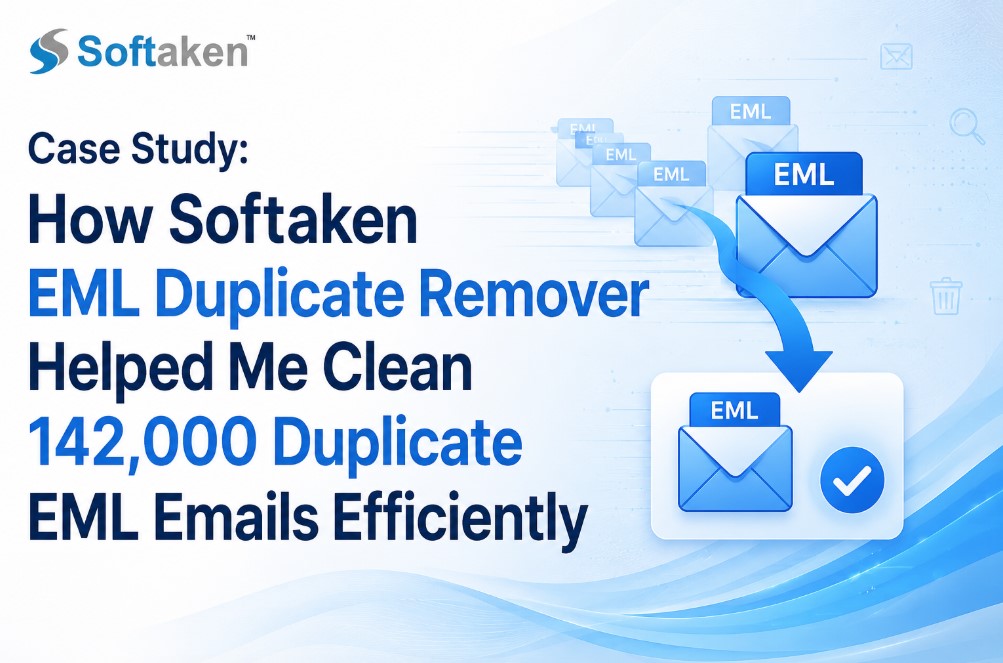
Case Study: How Softaken EML Duplicate Remover Helped Me Clean 142,000 Duplicate EML Emails Efficiently
-

- July 29th, 2026
- 19 views

FREE SEO Topical Map Generator: Find Your Next Content Ideas
About
Email archives became a major challenge when our company merged a number of departmental backups into a single central repository. Almost nine years of experience working with 142,384 EML emails from customer support, finance, HR, and project management. During the consolidation process, the same messages were copied numerous times, creating almost 47,860 duplicate emails that consumed more than 31.8 GB of unnecessary storage space.
The duplicate messages caused confusion in email searches, slowed down backup operations, and risked replying to old conversations. In this case study I will describe the entire process I followed, the manual methods I tried, why they did not work and how a dedicated duplicate removal solution fixed the problem with measurable results.
The Issues We Had
Duplicate emails were stored in hundreds of folders with identical and slightly modified file names. Because EML files consist of single messages, it was nearly impossible to seek duplicates manually.
The primary issues being the following:
· 142,384 EML files from multiple departments
· About 47,860 duplicate messages
· 31.8 GB of wasted storage consumed
· Windows Search indexing reduced
· Backup time went from 2.5 hours to nearly 5 hours
· Employees inadvertently opening old copies of the same email
· Struggle to maintain a clean email archive
The project was needed to delete duplicate emails keeping original messages and folder hierarchy intact.
Importance of an EML Duplicate Remover
An EML duplicate remover finds identical email messages using properties like subject, sender, recipient, message body, attachments, sent date, and internet headers. Instead of having to compare thousands of files manually, the software automates the process of comparison and keeps only unique messages.
Getting rid of duplicates can boost storage efficiency, search performance, backup speed and archive management for organizations with large EML archives.
Manual Methods
|
Manual Method |
Result |
Failures |
|
Manual Method 1: Sort Using Windows File Explorer |
Eliminated only about 3,200 duplicate files (deleted a few obvious duplicates). |
The email content was the same but thousands of duplicate emails had different filenames. |
|
Manual Method 2: Import and Clean up in Microsoft Outlook |
Some duplicate messages were easier to spot. |
Outlook Cleanup is primarily made for conversation threads, not for single EML files. Most of the duplicate files were unmolested. |
|
Manual Method 3: Using PowerShell Hash Comparison |
There were exact binary duplicates. |
If emails had the same content but different metadata, they generated different hashes and were skipped. |
Software for EML Duplicate Elimination
I used Softaken EML Duplicate Remover to analyse the full archive after I had exhausted manual attempts.
The software scanned all folders having 142,384 EML files within 54 Minutes. It identified 47,812 duplicate emails and it maintained the original folder structure, using several comparison parameters. Duplicate messages were safely removed after verification, reducing the archive size by 31.4 GB and improving search speed by almost 62%.
Tool-Based Outcome
The cleanup resulted in measurable improvements.
|
Results |
Before |
After |
|
Total Emails |
142,384 |
94,572 |
|
Duplicate Emails |
47,812 |
0 |
|
Storage Used |
96.7 GB |
65.3 GB |
|
Backup Duration |
4 hr 56 min |
2 hr 38 min |
|
Email Search Time |
18 sec |
7 sec |
|
Duplicate Records |
47,812 |
Deleted Successfully |
Benefits of the Software-Based Method
Duplicate Detection Fast: The software scanned more than 1 lakh emails in an hour, reducing days of manual work to one operation.
Multi-Comparison Filters: It searched for true duplicates by comparing sender, subject, date, body and attachments.
Keeps Folder Structure: Original folder hierarchy was preserved after duplicate removal.
Secure Email Handling: It simply deleted duplicate messages and automatically kept the original email.
Batch Processing: You could process many folders at once, making large archive cleanup much easier.
Boosts Backup Performance: Smaller archives finished the backup jobs much faster after cleanup.
Improved Storage Usage: By removing unwanted emails, we freed up over 31GB of storage space.
Easy to manage: Employees could find the right email quickly, without opening several identical copies.
Limitations of the Tool-Based Solution
Uses local system resources: Scanning large email collections may require sufficient RAM and available disk space.
Needs Commercial License: The full functionality is available in the licensed version.
First Scan is Slow: Very large archives will take longer to scan before duplicate removal begins, of course.
Steps to use EML Duplicate Remover
Download & Install: Download the EML Duplicate Remover tool and install it on your Windows OS. Launch Application Run the tool on your system.
Add EML Files/Folders: Choose the File Mode or Folder Mode and click on the Browse button to add your EML/EMLX files/folders to the software panel.
Preview Preview uploaded EML messages and verify folder structures.
Set Comparison Criteria: Select your preferred options for duplicate comparison (subject, sender, body, attachments etc.) and choose the removal mode (remove duplicates within the folder(s) or across the folder(s).
Specify Output Destination: Click Browse button to choose the destination folder path on your computer to save the cleaned, duplicate-free files.
Run De-duplication: Click the Remove Duplicate Mails button to start scanning and deleting.
Intended Audience
This solution is very helpful for:
· IT administrator email archive management
· Companies moving legacy email repositories
· Law firms holding on to email evidence
· Storage of emails for financial organizations compliance
· Staff mailboxes managed by educational institutions
· Backup administrators archiving for the long term
These users enjoy better storage efficiency, faster searches and easier archive maintenance.
FAQs
1. Number of duplicate emails removed?
Deleted successfully around 47,812 duplicate files of EML.
2. Were any original emails deleted?
No. The only thing that was removed were duplicate messages, the original emails still exist.
3. Change folder structure after cleanup?
No, the whole process retained the original folder hierarchy.
4. How much space have you cleared?
Cleaning up freed up almost 31.4 GB in storage space.
5. Can I work with large EML collections?
Yes. Very large archives of 1 lakh plus emails can be scanned efficiently depending on system resources.
6. Is the backup performance better?
Yes. Backup completion time was reduced from nearly five hours to around two and a half hours.
Final Verdict
Existing methods could not identify duplicate emails in multiple folders correctly, so cleaning over 142,000 EML emails manually was not possible. The dedicated software safely cleaned up the system to remove 47,812 duplicate emails, reclaimed 31.4 GB of storage space and improved archive performance significantly, whilst leaving the current folder structure intact.
For organizations, IT admins, legal departments and companies with large EML archives, this case study leads me to propose this solution. The key advantages are precise duplicate detection, dependable batch processing, preserved folder structure and notable performance enhancements.