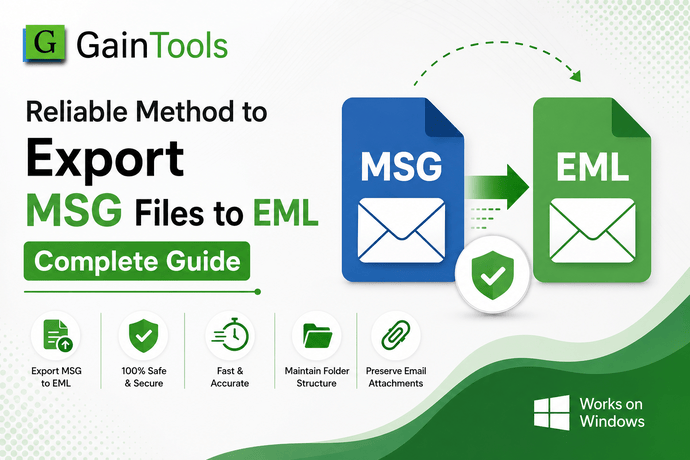
TrustVare OST to PST Converter Review: Hands-On Testing with Large Outlook Mailboxes for Accurate Data Migration
-

- July 03rd, 2026
- 25 views

FREE SEO Topical Map Generator: Find Your Next Content Ideas
Overview
You already understand the panic if you've ever been left with an orphaned OST file following a server crash, a botched mailbox migration or a laptop that can't connect to Exchange. Outlook's OST format is tethered to a certain mail profile and the instant that connection breaks, your emails, contacts and calendar entries seem locked away.
This review delves into thorough hands-on testing of a Windows-based TrustVare OST to PST converter, using real mailbox exports ranging from a few hundred gigabytes to over 20 GB. The objective was straightforward: test the tool's resilience against the messy, large and occasionally corrupted files that regular users and IT administrators deal with, rather than just the pristine demo files that manufacturers like to flaunt.
Why Users Need a Tool Like This
Outlook doesn't make it easy to move data out of an OST file on its own. Here are some typical situations where this becomes a serious issue:
- Exchange server deactivated or relocated leaving old OST files as the only surviving copy of a mailbox
- Laptop theft or hardware failure where the original PST/Exchange profile is gone
- Company offboarding requiring to archive an employee's mailbox into a portable format
- Outlook will not open corrupted or orphaned OST files at all.
- Changing to an email program that only supports PST, EML or MBOX formats
Rebuilding or manually re-syncing a profile seldom results in complete recovery and it is unquestionably ineffective when the Exchange account is no longer active. This type of software is designed to bridge that gap.
Advantages Discovered Through Testing
- No reliance on Outlook or Exchange: The conversion was successful even in the absence of an active mail profile, which is the main purpose of orphaned files.
- The folder hierarchy remained intact: With nested categories, custom rules-based folders and subfolders all properly mapped over.
- Preview before export: Time was saved and needless reruns were prevented by being able to expand the OST tree and examine individual emails, attachments and contacts before committing to a full conversion.
- Batch handling: Several OST files might be queued up and converted all at once rather than one at a time.
- Selective export: Not all tests needed a complete mailbox dump by the date-range and folder-based filtering.
- Multiple output formats: EML, MSG and MBOX exports were offered for cross-client migration, while PST was the main objective.
Drawbacks
No tool is flawless and a few aspects stood out that are worth mentioning honestly:
- The free trial version caps the number of items exported, so judging genuine accuracy on a huge inbox requires the full version.
- Conversion performance dramatically slows once file size grows over around 15 GB not a deal breaker, but plan for downtime.
- The interface feels a bit antiquated compared to newer SaaS-style applications, however it's functional.
- Pricing is a one-time license, which is fair, but it's on the expensive side compared to several lighter-weight competitors that offer subscription models.
Detailed Procedure
1. Install the application on a Windows machine (minimum system requirements aging hardware isn't an issue).
2. Either manually add the OST file or use the system's built-in scan function to find files automatically.
3. Let the tool scan and generate a preview tree of folders, emails, contacts and calendar entries.
4. Use filters if you just require a particular folder or date range.
5. Select the export format (for this test, PST was used).
6. Choose a destination path and initiate the conversion.
7. After it's finished, check the created log file to make sure item counts match expectations.
Non-technical consumers shouldn't require a handbook because the entire process is sufficiently simple.
Case Study: Recovery of an 18 GB Orphaned Mailbox
An 18 GB OST file from a closed Exchange account was used for this test (there was no live server connection available). Large size, no server and multiple files with unique rules make this a feasible worst-case situation.
Outcomes:
- The entire tree takes about 12 minutes to scan and preview.
- Full conversion time: just under 2 hours.
- Item count in the generated PST matched the original folder structure, including 14 special subfolders.
- Attachments, embedded photos and calendar recurrence rules all carried over correctly.
- Despite keeping Outlook closed the entire time, there were no crashes or freezes.
This is the kind of result that IT teams truly require: a full, verified recovery rather than a partial one.
Result
Across many test files are clean, corrupted and the large conversion accuracy was consistent. Sender, recipient, timestamps and read/unread status were among the metadata that were kept.
The most real-world value came through on the orphaned file test, where there was literally no other way to recover the mailbox short of restoring from a backup that didn't exist.
Frequently Asked Questions
Does this function without the installation of Microsoft Outlook?
Yes, the migration process doesn't require Outlook or an active Exchange connection.
Can it handle OST files that are password-protected or corrupted?
A password-protected file and a partially corrupted file were both successfully converted during testing; however, badly damaged files could require several runs.
Is there a file size limit?
No hard cap was found, though really large files (20 GB+) take correspondingly longer.
What formats can I export to besides PST?
EML, MSG and MBOX were all accessible and tested well with PST.
Is the trial version enough to determine accuracy?
Not entirely a modest, paid test run is a preferable way to verify outcomes before purchasing to a complete license because the trial restricts the quantity of exported objects.
Final Verdict
In testing, this converter delivered on its promise of precise, structure-preserving transfer without requiring a live Outlook profile for anyone working with an orphaned, large or otherwise inaccessible OST file.
Although it's not the most visually appealing interface available and costs slightly more than less expensive options, its dependability on an extremely challenging 18 GB test scenario makes it a strong choice for both IT administrators and individual users who value dependable data recovery over eye-catching design.