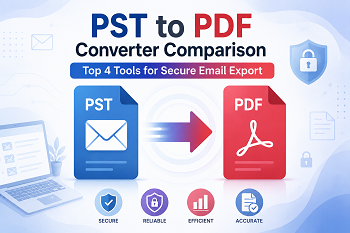
PST to PDF Converter Comparison: Top 4 Tools for Secure Email Export
-

- June 29th, 2026
- 29 views

FREE SEO Topical Map Generator: Find Your Next Content Ideas
Introduction
Managing Outlook PST files is easy while using Microsoft Outlook, but sharing or archiving emails becomes more difficult when recipients do not have Outlook installed. PDF is a universally accepted format that preserves email content, attachments, formatting, and metadata, making it ideal for legal documentation, audits, business records, and long-term storage.
However, choosing the right converter isn't always simple. Pricing, Conversion Speed, Large PST Handling, Batch Processing, Customer Support, Ease of Use. Different Tools Offer Different Features. Some are targeted for business users, while some are appropriate for occasional conversions.
This PST to PDF Converter Comparison analyses 4 reliable tools to help you choose smarter. We examine their characteristics, cost, benefits, drawbacks and overall worth so you can be sure you’re selecting the best software for your email conversion needs.
What are PST and PDF?
What is a PST File?
Personal Storage Table (PST) is a proprietary data file type used by Microsoft Outlook. It saves:
- Email Attachments
- Contact details
- Journals
- Notes
- Work Diaries
PST files are often used to backup, migrate and store mailboxes locally.
What is a PDF File?
PDF (Portable Document Format) is one of the most popular document formats in the world. It preserves the formatting so that texts can be viewed on different operating systems.
Converting PST emails to PDF, users can:
- Safely keep emails
- Transfer emails without Outlook
- Keep legal records
- Print critical emails
- Maintain formatting and metadata
Why Users Need a PST to PDF Converter Comparison
Not every PST converter delivers the same performance. Some software can work with very large PST files efficiently. Some software is designed to be cheap or simple.
The full comparison enables users to evaluate:
- Price
- Batch processing feature
- Support for large PST files
- User-friendliness
- Conversion precision
- Free trial available
- Technical assistance
- Windows support
- Good value for money
Instead of relying on marketing alone, clients compare these criteria to help them invest in the proper solution.
Quick Comparison Table
| Tool | Best For | Ease of Use | Free Trial | Starting Price | Rating |
|---|---|---|---|---|---|
| WholeClear PST to PDF Converter | Professional email export | ⭐⭐⭐⭐⭐ | Yes | Affordable | ⭐⭐⭐⭐⭐ |
| SysTools PST Exporter | Enterprise users | ⭐⭐⭐⭐☆ | Yes | Mid-range | ⭐⭐⭐⭐⭐ |
| FreeConverter.app | Quick online conversion | ⭐⭐⭐⭐⭐ | Free | Free | ⭐⭐⭐⭐☆ |
| Aryson PST Converter | Business migration | ⭐⭐⭐⭐☆ | Yes | Moderate | ⭐⭐⭐⭐☆ |
Detailed Comparison of Top PST to PDF Converter Tools
1. WholeClear PST to PDF Converter
WholeClear PST to PDF Converter is a dedicated Outlook conversion solution for users who need secure, accurate and hassle-free PST to PDF conversion. Its clear interface makes it a good choice for both novices and experts.
Key Features
- PST Batch Converter
- Maintains folder structure
- Convert attachments
- ANSI & Unicode PST Support
- Keeps email metadata
- Preview before exporting
- Handles huge PST files
Advantages
- Very easy to use
- Quick conversion speed
- High-accuracy conversion
- Handles large Outlook files
- Reliable technical support
Disadvantages
- Windows only
- Accessible in the licensed version only
Pricing
WholeClear is free to use for a trial period so you can test it out. The licensed edition is available at a competitive price for personal and commercial users and delivers great value for regular Outlook email exports.
2. SysTools PST Exporter
SysTools is a famous Outlook tool that supports export to several formats, such as PDF. Best for IT administrators and enterprises that export mailboxes often.
Main Features
- Batch convert
- Advanced email filters
- Keeps folder structure
- Password-protected support
- Support for large mailboxes
Advantages
- Enterprise-level reliability
- Multiple export choices
- advanced filters
Cons
- The interface looks technical.
- slightly more expensive
Price
SysTools offers a demo version with restricted export features. Individual and business users can purchase paid licenses.
3. FreeConverter.app
FreeConverter.app is an online solution for users who need to convert PST to PDF occasionally without installing any software.
Main Features
- Browser-based conversion
- No installation necessary
- Easy uploading
- Free use license
- Can be accessed on several devices.
Pros
- Completely free
- Easy for Beginners
- Fast for tiny PST files
Cons
- Compact file size
- Needs an internet connection
- Not for use with private business data
Price
The website offers free basic conversions, which makes it a reasonable solution for personal or one-time use.
4. Aryson PST Converter
Aryson offers a versatile Outlook converter tool that helps in converting to multiple export formats including PDF.
Main Features
- Batch conversion
- Preview of folder
- Filtering of emails
- Large PST support
- Attaches keeps
Advantages
- Various export formats
- Conversion quality excellent
- Supports large mailboxes
Disadvantages
- Full features require the premium version
- The user interface can be made simpler.
Prices
Aryson provides a trial version with export limits. Full licenses are available to residential and business clients.
Dedicated Comparison Summary
| Comparison Factor | WholeClear | SysTools | FreeConverter.app | Aryson |
|---|---|---|---|---|
| Pricing | Affordable | Medium | Free | Medium |
| Batch Conversion | Yes | Yes | Limited | Yes |
| Free Trial | Yes | Yes | Yes (Free Service) | Yes |
| Large PST Support | Excellent | Excellent | Limited | Excellent |
| Technical Support | Excellent | Excellent | Yes | Good |
| Ease of Use | Very Easy | Moderate | Very Easy | Easy |
| Windows Compatibility | Yes | Yes | Browser-Based | Yes |
| Mac Compatibility | No | No | Yes | No |
Pricing Comparison Table
| Tool | Free Trial | Pricing Level | Best Value |
|---|---|---|---|
| WholeClear | Yes | Affordable | ⭐⭐⭐⭐⭐ |
| SysTools | Yes | Medium | ⭐⭐⭐⭐☆ |
| FreeConverter.app | Free | Free | ⭐⭐⭐⭐☆ |
| Aryson | Yes | Medium | ⭐⭐⭐⭐☆ |
How to Choose the Right PST to PDF Converter
Take these things into consideration before buying any converter:
Your budget:
Free tools are adequate for occasional conversions but premium software has superior features and support.
File Size
Choose software designed for processing huge PST files if your Outlook mailbox size reaches several gigabytes.
Batch Conversion
Organizations should look for technologies that can convert many PST files at the same time.
Ease of Use
Clean and easy UI lowers the learning curve and boosts productivity.
Technical Support
When it comes to transforming business-critical email data, responsive customer assistance is key.
Security
Generally, for confidential business communications, offline desktop software is better than online converters.
Final Verdict
Selecting the correct converter relies on your individual demands.
Thanks to the great mix of convenience, conversion accuracy and support for huge PST files, WholeClear PST to PDF Converter is a cost-effective, reliable and feature-rich desktop solution.
For businesses, SysTools PST Exporter offers advanced export options and administrative functions.
FreeConverter.app is a useful free choice if you’re looking for a quick conversion without downloading software and for smaller files.
Aryson PST Converter is a nice pick for users who need to export to different formats in a single software. It provides considerable flexibility and performs well.
Of all, WholeClear is the ideal combination of simplicity, speed and value and is our top choice in our PST to PDF Converter Comparison.
Frequently Asked Questions (FAQs)
1. What is the best PST to PDF converter?
If you want accurate conversion, bulk processing and support for huge PST files at an inexpensive price, then WholeClear PST to PDF Converter is the best solution.
2. How to convert PST to PDF without Outlook?
Some converters require Outlook to be installed, while others are suitable for converting on their own. Always check software prerequisites before buying.
3. Is there any free PST to PDF converter?
Yes, FreeConverter.app offers free online PST to PDF conversion for basic use, although there can be limitations on file size and features.
4. Does converting PST to PDF preserve attachments?
Most premium desktop converters preserve email attachments and information during conversion.
5. What should I consider before buying a PST to PDF Converter?
Before making a choice, compare cost, batch conversion support, free trial options, handling of large PST files, user-friendliness, technical assistance, and the general accuracy of conversion.