10 Must-Have Salesforce Integrations to Power Your Business in 2026
-

- August 04th, 2026
- 24 views

FREE SEO Topical Map Generator: Find Your Next Content Ideas
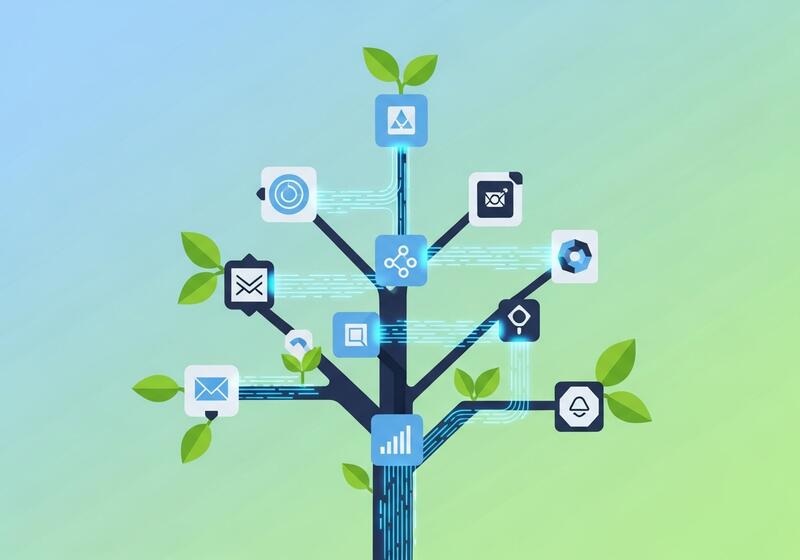
Salesforce becomes exponentially more powerful the moment you connect it to the rest of your tech stack. Rather than overwhelming you with every possible option, here are the 10 integrations that deliver the fastest, most reliable impact — across communication, marketing, support, finance, and beyond.
Quick List
1. Slack — Real-Time Team Alerts
2. Zoom — Meeting and Call Logging
3. HubSpot — Inbound Marketing Alignment
4. Pardot (Account Engagement) — B2B Marketing Automation
5. Zendesk — Unified Customer Support
6. DocuSign — Electronic Signatures
7. QuickBooks — Small Business Accounting
8. Shopify — E-Commerce Sync
9. Jira — Dev and IT Alignment
10. LinkedIn — Social Selling
1. Slack — Real-Time Team Alerts
Slack turns Salesforce updates into instant, actionable conversations. Instead of toggling between tabs, your team gets customer context delivered right into the channels where decisions already happen.
What it enables:
● Live alerts when high-priority leads land or cases escalate
● Slash commands to pull up Salesforce records without leaving Slack
● Create Leads, Cases, or Tasks straight from a Slack message
2. Zoom — Meeting and Call Logging
Zoom attaches every video meeting to the right customer record automatically, so no interaction slips through the cracks.
What it enables:
● Automatic logging of call details, attendees, and duration
● One-click meeting joins directly from Salesforce activities
● Recordings and transcripts stored against the relevant customer profile
3. HubSpot — Inbound Marketing Alignment
HubSpot connects marketing-sourced leads with sales execution through two-way sync, so both teams work off the same data.
What it enables:
● Bi-directional contact and company sync
● Marketing engagement history visible in Salesforce
● Lifecycle stage sync that triggers the right automation
4. Pardot (Account Engagement) — B2B Marketing Automation
Pardot is Salesforce's own B2B marketing engine, giving sales full visibility into how leads behave before they ever pick up the phone.
What it enables:
● Automated lead scoring based on engagement and demographics
● Full-funnel campaign ROI reporting
● Real-time dynamic list segmentation
5. Zendesk — Unified Customer Support
Zendesk merges help desk ticketing with the CRM data your support team needs to resolve issues faster.
What it enables:
● Automatic ticket creation from Salesforce cases with full context
● Zendesk interaction history visible on Salesforce contact records
● SLA and ticket-status overlays that flag risk to sales
6. DocuSign — Electronic Signatures
DocuSign lets your team send, track, and store signed agreements without ever leaving a Salesforce record.
What it enables:
● Send DocuSign envelopes directly from opportunities, quotes, or contracts
● Automatic status updates when documents are viewed or signed
● Completed documents stored in Salesforce with version history
7. QuickBooks — Small Business Accounting
QuickBooks removes manual financial data entry by syncing customer and invoice data automatically.
What it enables:
● Automated customer and invoice sync
● Real-time accounts receivable visibility in Salesforce
● Sales order creation triggered by closed-won opportunities
8. Shopify — E-Commerce Sync
Shopify syncs store data with customer profiles to enable more personalized marketing and service.
What it enables:
● Automatic customer and order sync
● Real-time inventory and product data for sales and service teams
● Abandoned cart recovery triggers within Salesforce
9. Jira — Dev and IT Alignment
Jira connects engineering work with customer-facing needs, so technical teams and business teams stay on the same page.
What it enables:
● Automatic Jira issue creation from Salesforce cases
● Real-time Jira status updates visible on Salesforce cases
● Bi-directional commenting between technical and customer teams
10. LinkedIn — Social Selling
LinkedIn Sales Navigator layers social insight on top of your CRM data for warmer, more relevant outreach.
What it enables:
● Live LinkedIn profile data on contact and account records
● Lead recommendations based on your existing customer base
● InMail and message tracking within the customer timeline
How Cyntexa Helps You Get There
Picking the right integration is only step one. Making it work reliably, securely, and at scale is where most in-house teams run into trouble — and where Cyntexa steps in.
Certified Salesforce Expertise
As a certified Salesforce partner, Cyntexa's consultants and developers bring hands-on experience across Sales Cloud, Service Cloud, Marketing Cloud, and the broader Salesforce ecosystem — so integrations are built on a solid architectural foundation, not trial and error.
Tailored Integration Strategy
No two businesses run the same tech stack. Cyntexa starts by mapping your existing systems, data flows, and business goals, then recommends the integration approach — native connector, middleware, or custom-built — that fits your actual needs instead of a one-size-fits-all template.
End-to-End Implementation
From initial scoping and data mapping to configuration, testing, and go-live, Cyntexa manages the full integration lifecycle. That includes handling edge cases like data deduplication, security permissions, and error handling that often get overlooked in DIY setups.
Ongoing Support and Optimization
Integrations aren't "set and forget." As your business grows and Salesforce releases new updates, Cyntexa provides ongoing monitoring, maintenance, and optimization to make sure your connected systems keep performing as your needs evolve.
Proven Track Record
Cyntexa has delivered Salesforce integration projects across industries — from fast-growing startups to large enterprises — helping teams eliminate manual work, unify customer data, and turn Salesforce into a true single source of truth.
The Bottom Line
These 10 integrations cover the highest-impact use cases most businesses need first. But choosing the right combination — and implementing it correctly — is what actually determines whether you see results.
Ready to connect Salesforce to the rest of your stack? Schedule a free consultation with Cyntexa's team and let's build the right integration roadmap for your business.