Why PDF Is Better Than MBOX for Email Storage: Benefits, Methods & Tool Comparison
-

- August 01st, 2026
- 33 views

FREE SEO Topical Map Generator: Find Your Next Content Ideas
Introduction
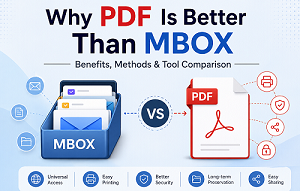
Emails contain valuable business discussions, contracts, invoices, user communications, legal documents, project updates and personal records. Many email applications, such as Mozilla Thunderbird, Apple Mail, Eudora, Entourage, SeaMonkey and others, store mailbox data in MBOX files. The MBOX format is an excellent way to store a large number of email messages; however, it's not always the best option when users want to access, print, share or save important emails for the long term.
That’s when PDF is a better choice. PDF files are supported by just about all devices, can be viewed on just about any device, no email software required, and keep the look and feel of the documents regardless of the operating system. They are common for business documentation, legal evidence, digital archiving, compliance records and secure sharing of documents.
MBOX to PDF conversion process is not just a file format conversion process. It provides better access, easier document management, enhanced compatibility and long-term preservation of important email communication.
In this guide, you will learn what MBOX and PDF files are, why this conversion is getting popular, how PDF is advantageous over MBOX and what conversion methods are good for whom.
What Is an MBOX File?
MBOX files are mailbox storage files used by many desktop email clients to store multiple email messages in a single database file. MBOX stores all messages in one mailbox instead of saving each email separately, which makes it easier to work with large collections of messages.
Many popular email software can use MBOX files, such as:
- Thunderbird by Mozilla
- SeaMonkey
- Apple Mail
- Opera Mail
- Eudora
- Spicebird
- Entourages
An MBOX file usually contains:
- Email messages
- Sender and receiver information
- Subject line
- Date and time information
- Enclosures
- E-mail headers
- Message formatting
Typical Uses of MBOX Files
- Email backup.
- Archiving of mailboxes
- E-mail migration
- Store in local mailboxes
- Long-term email storage
MBOX files are safe for storing mailbox data, but you can only access them using compatible email applications. This is often a problem for users who want to share emails, print important conversations, or keep email records in a commonly accessible format.
What Is a PDF File?
PDF (Portable Document Format) is one of the most used document formats in the world. PDF was designed to ensure that the formatting of a document remains the same on different computers and operating systems and has become the standard for sharing, storing, and printing digital documents.
Unlike MBOX files, PDFs don’t require an email client to open. They can be viewed in almost any web browser or a standard PDF reader.
PDF documents are widely used for:
- Industry Report
- Legal forms
- Bills
- Contracts
- Email History
- Financial papers
- Reports on compliance
- Online archives
Main Characteristics of PDF Files
- Almost any operating system works
- Uniform formatting across all devices
- Basic printing
- Support for password protection
- Compatibility with digital signatures
- Document preservation over time
- Easy sharing (via email and cloud storage)
These features make PDF one of the safest and most practical formats to store important email communications.
What is MBOX to PDF Conversion?
MBOX to PDF conversion is the process of converting the mailbox data stored in an MBOX file into PDF documents, while maintaining the original email content and layout.
While performing the conversion, important Mailbox information like:
- Body of email
- Sender details
- Details of recipient
- Date & time Enter date & time
- Attachments
- Internet Header
is transformed into portable PDF files that can be viewed without having to install any email software.
The main purpose is to make documents accessible to users to read, print, archive and share as needed.
Why is MBOX to PDF Conversion Necessary?
PDF is more flexible and has long-term access, so many organisations and individual users convert mailbox files to PDF.
Some of the most common reasons are:
- PDF files open on virtually any computer, smartphone or tablet without the need for an email app.
- Businesses save important client communications in PDF format for future reference.
- Legal professionals often use PDF documents to save email conversations as proof.
- PDFs are better for printing as they maintain the original look of the email.
- Users can share important email conversations securely with clients and colleagues.
- PDF password protection allows users to secure confidential email records.
- Many organisations keep email communications in PDF format for audit, compliance and documentation purposes.
- PDF documents can still be viewed even if the original email application is no longer available.
Major Differences between MBOX and PDF
| Feature | MBOX | |
|---|---|---|
| Stores Multiple Emails | Yes | Individual Documents |
| Universal Compatibility | Limited | Excellent |
| Easy Printing | Limited | Excellent |
| Long-term preservation | Great | Excellent |
| Professional Sharing | Good | Very Good |
| Password Protection | None | Supported |
| Digital Signatures | No | Yes |
| Opens Without Email Client | Yes | No |
Why PDF is a Better Option over MBOX for Email Storage
- Open PDF files on Windows, macOS, Linux, Android, iOS and web browsers without installing an email client.
- PDF documents keep the original formatting when printed, so they are great for contracts, invoices, reports and legal correspondence.
- Share confidential data securely by applying password protection and permission controls to PDF documents before sharing.
- Organisations frequently convert critical email conversations into PDF for compliance, auditing, legal documentation and business record keeping.
Benefits of MBOX to PDF Conversion
The conversion of MBOX files into PDF documents is more than just a file format change. It makes emailing more accessible, manageable, preservable and shareable across platforms. PDF is available for individual users, business owners, legal professionals and IT administrators, and provides many benefits over conventional mailbox files.
Universal Access
- You can view PDF files on Windows, macOS, Linux, Android, iOS and just about any modern web browser without installing an email client.
Enhanced E-mail Archiving
- PDF is one of the most trusted formats for long-term document preservation. A lot of companies and organisations save important email conversations as PDF documents for future reference.
Document Sharing for Professionals
- However, unlike MBOX files, PDFs can be shared with clients, colleagues, and stakeholders without any worries about software compatibility.
Easy Print
- PDF preserves the original email layout, fonts and formatting, guaranteeing high-quality printing every time.
Increased Security
- You can password protect your PDF documents and set permissions before sharing sensitive email conversations.
Improved compliance and documentation
- Many organisations keep compliance records, legal documents, audit reports, and business communications through emails to PDF.
Less dependence on email clients
- Now recipients don’t need Thunderbird, Apple Mail, SeaMonkey or any other MBOX-supporting application to view important emails.
Improved Co-operation
- PDF documents are easier to review, annotate, comment on and share between teams during business projects.
MBOX to PDF Conversion - Before & After
| Before Conversion (MBOX) | Post Conversion (PDF) |
|---|---|
| Needs an email client | Almost all devices are open. |
| Hard to share | Share easily via email & cloud storage |
| Few printing options | Ready-to-print document |
| Mailbox-specific format | Universal Document Format |
| Low compatibility | Excellent compatibility |
| It depends on the email app. | Standalone document |
| Better for mailbox storage | More suitable for documentation/archiving |
Common Issues without MBOX to PDF Conversion
However, the continued existence of critical emails only in MBOX format leads to various practical problems for the users.
- You need compatible email applications to open MBOX files.
- Sharing mailbox files with colleagues or clients is difficult.
- Printing emails with formatting can sometimes be a little tricky.
- Long-term access can be achieved if the original email application is available.
- This makes it hard to organise important business emails for documentation purposes.
- Email records can not be appropriate for legal or compliance purposes if not properly documented.
- Being able to open mailbox files from different devices can be inconvenient.
Converting Mailbox Data to PDF Helps to Address These Issues and Improves Accessibility and Document Management.
Practical Uses of Converting MBOX to PDF
Converting MBOX to PDF is helpful in many professional and personal scenarios.
Business Documentations
- Companies often convert important client communications into a PDF for future reference and for internal documentation purposes.
Legal Proof
- Lawyers and law firms are turning email threads into PDFs for their case files and court submissions.
Financial Records
- Accountants need auditors to keep PDFs of invoices, payment confirmations, and financial correspondence.
Common Conversion Solutions
The best conversion method depends on such factors as the size of the mailbox, the level of technical expertise, the data security requirements and the frequency of email conversions.
Here below you can find some of the most popular methods to convert MBOX files to PDF documents.
Solution 1: Convert MBOX to PDF Manually
But if you have just a few emails to convert, the manual method can be a convenient option. This process uses an email client and Microsoft’s built-in Print to PDF feature.
Manual steps
- Open the MBOX file with an email client that supports MBOX, such as Mozilla Thunderbird.
- Choose the email you want to convert.
- Click File > Print or press Ctrl + P.
- Select Microsoft Print to PDF as your printer.
- Select Print.
- Choose the destination folder.
- Enter the filename of the PDF.
- Click Save.
The selected email is saved as a PDF document.
Best For
- Students
- Home users
- One-off conversion
- Users who like free ways
Disadvantages of Manual Method
This must be converted manually, one-by-one, which is not scalable for a large number of emails. It takes a long time for large mailboxes and can not save every mailbox property or attachment, depending on the email application used.
Solution 2: MBOX to PDF Converter Professional
Professional software converts mailbox data faster, safer and more reliably, preserving email formatting, attachments, metadata and folder hierarchy.
Softaken MBOX to PDF Converter
Softaken MBOX to PDF Converter allows users to convert multiple mailbox files to PDF documents while preserving the full integrity of emails during the conversion process.
Main Features
- Batch converter MBOX
- Keeps formatting of the email
- Maintains folder structure
- Keeps attachments
- Keeps email metadata
- Compatible with all major versions of Windows
- Easy-to-use interface
Best For
- Business users
- HR departments
- Legal staff
- IT Admins
Benefits of large mailbox conversion
- Bulk Conversion Available
- Maintains original mailbox hierarchy
- Preserves attachments
- Simple to use
- Quick conversion process
Cons
- The trial version has limited functionality.
- Full features require a licensed edition.
BitRecover MBOX to PDF Converter Wizard
BitRecover MBOX to PDF Converter Wizard is designed for those users who regularly convert large mailbox archives and want to maintain the original email appearance and properties.
Main Features
- Many MBOX files to convert
- Keeps the attachments
- Keeps email metadata
- Conversion of a batch
- Keeps original formatting
- Compatible with Windows OS
Best For
- Enterprises
- IT specialists
- Legal bodies
- Large Mailbox Migrations
Pros
- Great bulk conversion
- Correct preservation of emails
- User-friendly interface
- High-speed processing
- Good for large mailbox files
Cons
- Paid license required for premium features.
- Trial version has conversion limits.
TrustVare MBOX to PDF Converter
TrustVare MBOX to PDF Converter is a reliable solution for users who want to convert mailbox files to PDF and preserve essential email elements.
Key Features
- Converts Single & Multiple MBOX Files
- Retains email formatting
- Supports file attachments
- Stores metadata
- Batch conversion supported
- Easy-to-use user interface
Best For
- Personal Use
- Small business
- Office workers
- Business Documentation
Pros
- Simple interface
- Quick conversion
- Keeps the email properties
- Batch conversion supported
- Preserves mailbox structure
Cons
- Trial version has limited functionality.
- Advanced features in the licensed version.
Quick Comparison of Commercial MBOX to PDF Convertors
Choosing the right professional solution depends on your mailbox size, conversion needs and desired features. A quick overview of the three professional tools is provided in the following comparison.
| Features | Softaken MBOX to PDF Converter | BitRecover MBOX to PDF Converter Wizard | TrustVare MBOX to PDF Converter |
|---|---|---|---|
| Batch Conversion | Excellent | Very Good | Excellent |
| Support for Multiple MBOX Files | Very Good | Good | Good |
| Preserves Email Formatting | Fully Retained | Yes | Yes |
| Attachments Preservation | Fully Preserved | Preserved | Preserved |
| User-Friendly Interface | Excellent | Very Good | Very Good |
| Fast Conversion Speed | Very High | High | High |
| Compatible with Windows OS | Excellent | Good | Very Good |
Best Professional Solution?
All the professional converters are reliable for converting MBOX to PDF, but the best one depends on your requirements.
- Softaken MBOX to PDF Converter is a good choice for businesses and professionals who regularly convert multiple MBOX files while maintaining the complete email formatting and folder hierarchy.
- BitRecover MBOX to PDF Converter Wizard is best suited for IT professionals, legal organisations, and enterprises that must process large mailbox archives efficiently while preserving complete email integrity.
- If you are an individual user or a small business looking for an easy-to-use tool that can convert MBOX files to PDF, keeping attachments, metadata, and email formatting intact, then TrustVare MBOX to PDF Converter is an excellent choice.
All three solutions reduce manual effort dramatically, provide greater accuracy and preserve important mailbox information.
Comparison of Conversion Solutions Available
| Feature | Manual Method | Professional Software |
|---|---|---|
| Cost | Free | Paid |
| Software Installation | Required | Required |
| Technical Knowledge | High | Low |
| Batch Conversion | Not Available | Available |
| Conversion Speed | Slow | Fast |
| Data Security | Good | Excellent |
| Support for Large Mailbox | Not Recommended | Recommended |
| Business Suitability | Low | Excellent |
The Best Solutions for Various Types of Users
The best way of conversion depends on your mailbox size, technical knowledge and conversion needs. Here are some suggestions for different users.
| User Type | Recommended Solution | Rationale |
|---|---|---|
| Home Users | Manual Method | Good for converting some emails from time to time; no need for any extra software. |
| Individual Users | TrustVare MBOX to PDF Converter | User-friendly panel with trusted mail saving. |
| Small Businesses | Softaken MBOX to PDF Converter | Preserves the email formatting and attachments; Supports batch conversion. |
| Lawyers | BitRecover MBOX to PDF Converter Software | Ideal for keeping email records for legal documentation. |
| HR Departments | Softaken MBOX to PDF Converter | Perfect for archiving employee communications and company records. |
| IT Professionals | Softaken MBOX to PDF Converter Software | Efficiently works with multiple mailbox files and large email archives. |
| Enterprises | TrustVare Software | Great tool for bulk conversion, complete preservation of mailboxes and highest accuracy. |
Final Verdict
There is a lot more to converting MBOX files to PDF than just changing the file format. It enables email messages to be retrieved, printed, stored, shared and preserved over the long term. PDF works with almost every operating system and device, so you no longer need a compatible email client to view important email communications.
Each conversion method has a different purpose. The manual method is suitable for users who convert a few emails occasionally and don’t mind repeating the process. That is why professional software is the preferred choice for fast, accurate, and secure conversion while preserving attachments, email formatting, metadata, and folder hierarchy for businesses, legal professionals, IT administrators, and organisations.
In the end, what works for you will depend on the size of your mailbox, your technical skill, and what you want to do with it in the long term. Conversion of MBOX to PDF is a smart & useful choice when you want a secure email archive, professional documentation, regulatory compliance or easy email management. The correct way to convert emails allows users to keep their important email conversations accessible, organised, and secure for years to come.
FAQs (Frequently Asked Questions)
Q1. Will email attachments be saved when converting?
Ans. Yes. Most professional conversion tools will retain attachments, as well as email metadata, formatting and folder structure.
Q2. What is the best method of conversion for business users?
Ans. The best way is to opt for professional MBOX to PDF converter software that provides batch conversion and data integrity and saves a lot of manual effort.
Q3. Is it better to save emails in PDF for the long term?
Ans. Yes. PDF is a better format for archiving email over the long term because it can be read everywhere, is easy to print, is safe to share, and does not depend on any particular email application.