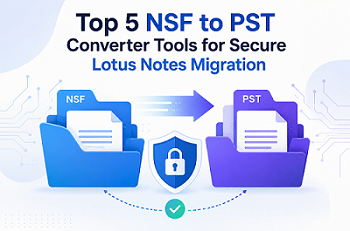
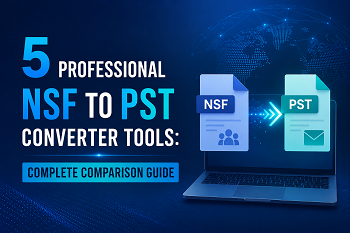
5 Professional NSF to PST Converter Tools: Complete Comparison Guide
-

- June 26th, 2026
- 27 views

FREE SEO Topical Map Generator: Find Your Next Content Ideas
Introduction
Managing email data efficiently is essential for businesses and individuals migrating from IBM Lotus Notes to Microsoft Outlook. Lotus Notes saves mailbox data in NSF files while Outlook saves it in PST format. So, straight compatibility between the two is not possible. Here is when an NSF to PST Converter comes into use. The best conversion tool assists users with the migration of emails, contacts, calendars, attachments, journals and other mailbox items without data loss. However, with a variety of tools on the market, it might be tough to pick the correct one. Things like price, batch conversion support, free trial, convenience of use, technical support, and compatibility are all important factors to consider while making a decision.
In this tutorial, we will review five professional NSF to PST converter tools so you can choose the best one according to your migration needs and budget.
What are NSF and PST Files?
What is an NSF File?
NSF (Notes Storage Facility) is the default database file format used by IBM Lotus Notes (HCL Notes). It stores the mailbox data such as emails, contacts, calendars, tasks, journals, etc.
What is a PST File?
PST (Personal Storage Table) is the format Microsoft Outlook uses to store mailboxes. The software saves emails, contacts, calendars, notes, tasks and attachments so that the user can access their Outlook data locally.
These formats are not compatible with each other and hence users need specific software to transfer NSF mailbox data into PST format.
Why Do You Need an NSF to PST Converter Tool?
Manually moving from Lotus Notes to Outlook is complex and often unreliable. Professional NSF to PST Converter is the complete solution that provides:
- Quick and Secure Mailbox Migration
- Batch conversion of multiple NSF files
- Retention of folder hierarchy
- Emails with attachment conversion
- Large NSF Files Support
- Low chance of data corruption
- Automation saves Time
These solutions are particularly valuable for firms moving from Lotus Notes to Microsoft Outlook or Microsoft 365.
Quick Comparison Table
| Tool | Price | Ease of Use | Best For | Free Trial | Rating |
|---|---|---|---|---|---|
| GainTools | Affordable | Excellent | Business & Personal Users | Yes | 4.9/5 |
| SysTools | Premium | Very Good | Enterprise Migration | Demo | 4.5/5 |
| FreeConverter.app | Free | Very Good | Small Conversions | Yes | 4.8/5 |
| Stellar | Premium | Excellent | IT Professionals | Demo | 4.8/5 |
| Shoviv | Mid-range | Good | Bulk Migration | Trial | 4.9/5 |
Top 5 NSF to PST Converter Tools Reviewed
1. GainTools NSF to PST Converter
GainTools NSF to PST Converter offers an easy solution for Lotus Notes NSF Files to Outlook PST Conversion. It has a clear interface and solid performance, which makes it suited for both beginners and IT professionals.
Features
- Batch NSF Converter
- Maintains the folder structure
- Support for large NSF files
- email, contacts, calendar and attachments converter
- Works with all Outlook versions
Pros
- Easy interface
- High Conversion Speed
- High precision of data
- Excellent client service
Cons
- Windows only
- Missing advanced enterprise features
Price
Affordable cost with a free trial for evaluation.
2. SysTools NSF to PST Converter
SysTools is a reliable enterprise-grade solution for Secure and Bulk Lotus Notes conversion.
Feature
- Batch conversion
- Export selectively to the mailbox
- Advanced filtering options
- Keeps meta data
- Encrypted NSF files support
Benefits
- Ready for enterprise
- Reliable conversion accuracy
- Advanced migration features
Downsides
- Increased rates
- The interface can be intimidating for new users.
Price
Demo version available. Premium licensing.
3. FreeConverter.app
FreeConverter.app is an online solution for users who need to convert small NSF files only from time to time and do not want to install software.
Features
- Online Converter
- No applications to install
- Easy to drag and drop interface
- Fast processing
Advantages
- Absolutely free for basic use
- Works in any browser
- Really easy to use
Disadvantages
- Low file size support
- Requires an internet connection
- Not suitable for sensitive business data
Pricing
Free.
4. Stellar Converter for NSF
Stellar offers professional mailbox migration with advanced preview and selective conversion features.
Features
- Preview the inbox before converting
- Batch convert
- Preserves email formatting
- Supports encrypted NSF files
Pros
- Correct migrations
- Easy interface
- Good recovery abilities
disadvantages
- expensive
- Premium features available exclusively in higher editions
Costing
Demo version, premium pricing.
5. Shoviv NSF to PST Converter
Shoviv NSF to PST Converter is a safe and quick Lotus Notes to Outlook transfer. It offers wholesale conversion of mailboxes while retaining email features, folder structure and attachments, making it ideal for corporations and IT professionals.
Features
- Convert multiple files into a batch
- Maintains folder structure and metadata
- Supports large databases from the NSF
- Conversion of emails, contacts, calendar and attachments
- Works with all major versions of Outlook
Pros
- Quick conversion performance
- Supports huge migrations of mailboxes
- Easy-to-use interface
Cons
- Purchase the premium version for additional features
- The Windows operating system only
Price
Demo version. Licenses are offered to commercial and personal users.
Feature Comparison Table
| Feature | GainTools | SysTools | FreeConverter.app | Stellar | Shoviv |
|---|---|---|---|---|---|
| Batch Conversion | ✅ | ✅ | ❌ | ✅ | ✅ |
| Large NSF Support | ✅ | ✅ | ✅ | ✅ | ✅ |
| Folder Hierarchy | ✅ | ✅ | ✅ | ✅ | ✅ |
| Preview Option | ✅ | ✅ | Limited | ✅ | ✅ |
| Free Trial | ✅ | Demo | ✅ | Demo | Trial |
| Technical Support | Excellent | Excellent | Limited | Good | Good |
| Windows Support | ✅ | ✅ | Browser | ✅ | ✅ |
| Mac Support | ❌ | ❌ | Browser | ❌ | ❌ |
How to Choose the Right NSF to PST Converter
Here are some things to think about before you choose a converter:
Choose GainTools if:
If you are a novice, then you need a solution that does not cost a lot but converts reliably.
Choose SysTools if:
If your firm needs an enterprise-grade migration with advanced filtering capabilities.
Choose FreeConverter.app if:
You need occasional conversions of small files without installing any software.
Choose Stellar if:
You require expert migration and advanced mailbox preview features.
Choose Shoviv if:
You often convert many NSF files, and need bulk migration solutions.
Final Verdict
Selecting the right NSF to PST Converter depends on your migration requirements, budget, and the volume of mailbox data you need to convert. Among all the tools we have reviewed, GainTools NSF to PST Converter is the best choice with its perfect combination of cost, simplicity, accuracy and reliable customer support. It is a perfect solution for private individuals and companies.
If you need enterprise-grade migration features, then the best choices are SysTools and Stellar. If you want a free online option for the occasional conversion, FreeConverter.app is a nice choice. Shoviv is still a preferred solution for enterprises that require bulk mailbox and migration.
To choose out the finest Outlook migration tool for your needs you can compare features, pricing, free trials availability, batch conversion options, and tech support.
FAQs (Frequently Asked Questions)
1. Which is the best NSF to PST Converter?
Some of the best solutions are SysTools and GainTools, as they offer a user-friendly interface, solid performance, affordable pricing, and batch conversion capabilities.
2. Is it possible to batch convert NSF files?
Yes, most of the professional tools like GainTools, SysTools and Stellar enable batch conversion.
3. Is there a free NSF to PST Converter?
FreeConverter.app offers free online conversion for smaller files. Most desktop programs provide free trial versions with restricted capabilities.
4. Will my email attachments remain intact after conversion?
Yes, professional NSF to PST Converter software keeps attachments, folder structure, metadata, contacts, calendars and email formatting intact during transfer.
5. Which NSF to PST Converter is best for large mailbox migration?
GainTools, SysTools, Stellar and Shoviv can all handle huge NSF files. GainTools offers one of the best combinations of speed, accuracy, and price for large-scale conversions.