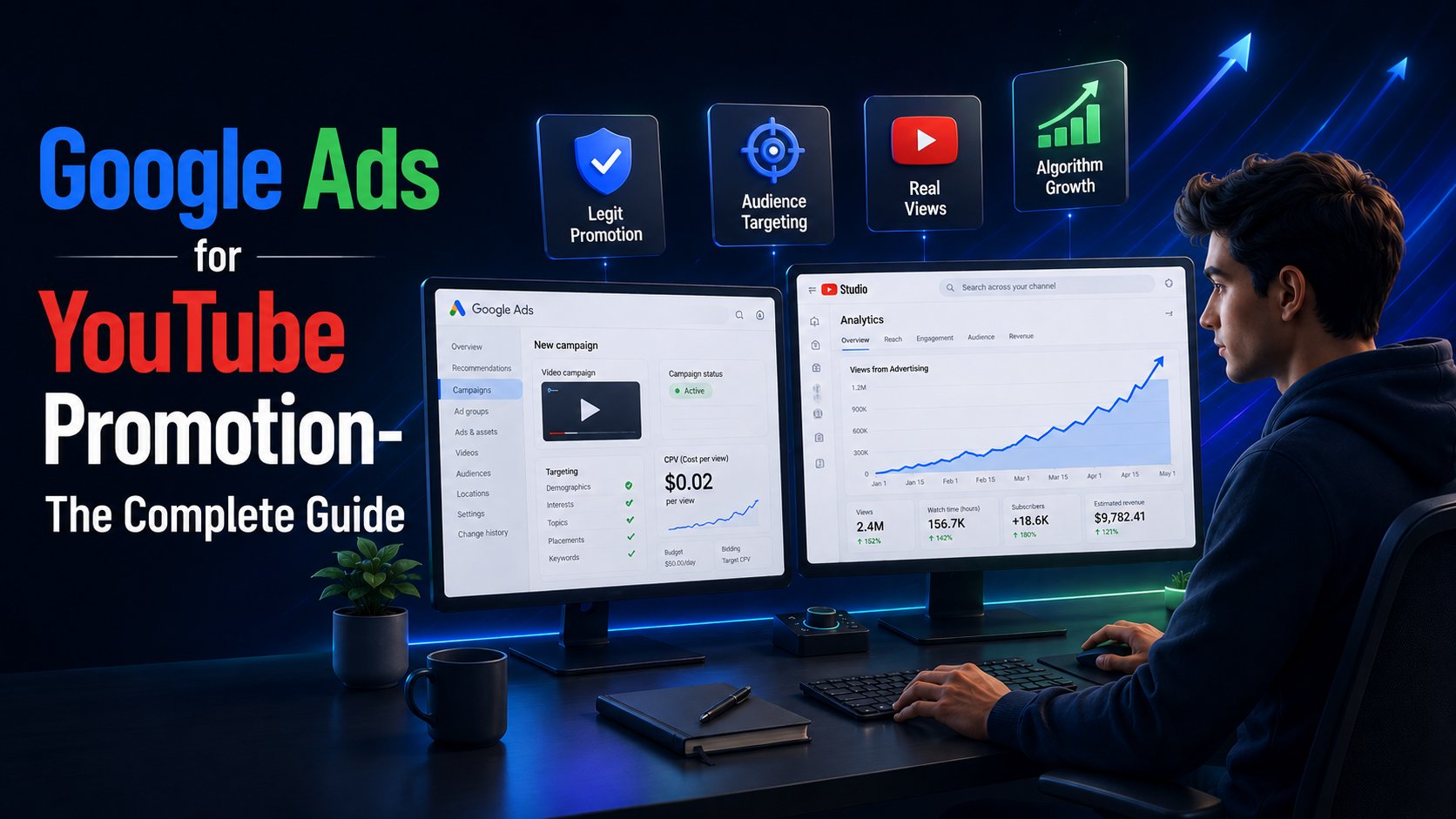
Google Ads for YouTube Promotion - The Complete Creator Guide for 2026
-

- July 03rd, 2026
- 42 views

FREE SEO Topical Map Generator: Find Your Next Content Ideas
Most creators who try paid YouTube promotion for the first time make the same mistake. They hear "YouTube advertising" and assume it means one thing: spending money to get more views. What they do not realise is that there are two entirely separate categories of paid promotion available to YouTube creators in 2026 — and only one of them actually helps a channel grow.
The first category is Google Ads for YouTube promotion. The second is the vast ecosystem of third-party services selling inflated view counts through bot traffic, click farms, and artificial engagement. Both will add numbers to your view counter temporarily. Only one of them generates the real engagement signals that cause YouTube's algorithm to distribute your content further and faster over time.
This guide covers everything a creator needs to know about using Google Ads for YouTube promotion in 2026 — how the system works, what the different ad formats do, how to set up a campaign that reaches genuine audiences, how to read the results correctly, and how to evaluate which external promotion services are actually running legitimate Google Ads campaigns versus selling artificial traffic dressed up with marketing language.
Why Google Ads Is the Only Safe Infrastructure for YouTube Promotion
YouTube is owned by Google. Google Ads is YouTube's official advertising infrastructure — the same system used by every major brand, media company, and creator to run paid campaigns on the platform. When a video is promoted through Google Ads, it is served as an ad to real YouTube users who are actively browsing the platform. These views are genuine, generate real watch time, and appear in YouTube Studio analytics with full watch time, audience demographics, retention curves, geographic distribution, and traffic source.
This matters for a reason that goes beyond policy compliance. YouTube's recommendation algorithm evaluates content quality through engagement signals — watch time, completion rate, save rate, and session continuation. Views that come from real, interested viewers generate strong engagement signals that the algorithm uses to decide whether to distribute the video further. Views from bot traffic or click farms generate no meaningful engagement signal, which means they do not feed the algorithm anything useful — and in many cases, the gap between inflated view count and weak engagement data actively suppresses a video's organic distribution.
YouTube's own documentation confirms that promotions run through Google Ads generate legitimate views — and while these views count in standard analytics, only organic subscribers count toward YouTube Partner Program eligibility to maintain a level playing field. This is the clearest official statement available about where Google Ads-based promotion sits relative to platform policy: it is not a workaround or a gray area. It is YouTube's intended paid discovery mechanism.
How Google Ads for YouTube Promotion Works
Google Ads for YouTube operates through video campaigns — a campaign type specifically designed for video content served on YouTube and across Google's video partner network. Here is the complete breakdown of what happens when a creator uses Google Ads to promote a video.
The Campaign Structure
Every Google Ads video campaign follows the same basic architecture: campaign level settings define the overall budget, objective, and targeting parameters; ad group level settings allow further audience refinement; and ad level settings define the specific video being promoted and the creative elements accompanying it.
For most creators running their first YouTube promotion campaign, a single campaign with one or two ad groups targeting their primary audience is sufficient. More complex account structures make sense as campaign data accumulates and audience segmentation becomes more granular.
Linking Your YouTube Channel
Before running a video campaign, your YouTube channel must be linked to your Google Ads account. This unlocks several capabilities that matter significantly for promotion effectiveness: the ability to target or exclude people who have already watched your videos, access to earned metrics that show subscriber conversions and additional video views resulting from your paid campaign, and the ability to build remarketing audiences from people who interacted with your content.
The linking process takes approximately five minutes in Google Ads under Tools → Linked Accounts → YouTube.
Budget and Bidding
You can start with as little as $10 per day and provide enough data to optimize effectively. For skippable in-stream campaigns using Cost Per View (CPV) bidding, you set the maximum amount you are willing to pay per genuine view — a view being defined as a viewer watching at least 30 seconds of your ad, or the complete ad if it is shorter than 30 seconds, or clicking on the ad. If a viewer skips before 30 seconds, you pay nothing.
This bidding model is inherently advertiser-friendly because it means every dollar you spend went toward a viewer who actively chose to keep watching. The CPV model is the standard for skippable in-stream ads and is the format most commonly used for creator channel promotion.
YouTube Ad Formats Available Through Google Ads in 2026
Google has restructured how ads are served, how frequently viewers see them, and which campaign types give you access to YouTube inventory. Understanding which format serves which objective is essential before spending anything.
Skippable In-Stream Ads
Skippable in-stream ads play before, during, or after another YouTube video. The viewer can skip after five seconds. You pay only when a viewer watches 30 seconds or the full ad if it is shorter, or clicks. This is the most versatile format for channel promotion and the one that delivers the highest-quality engagement signals per view, because the skip mechanic functions as a built-in interest filter.
The skip mechanic is actually an advantage: you only pay for engaged viewers, and the 5-second window forces creative discipline. A video that holds attention past the skip point is demonstrably more relevant to the viewer than one that gets skipped — which is exactly the kind of relevance signal that produces useful algorithm data.
Non-Skippable In-Stream Ads
Non-skippable ads are 15 seconds maximum and must be watched in full. You pay on a CPM (cost per thousand impressions) basis rather than per view. This format guarantees message delivery but at a higher cost and with no engagement filter — you pay for every impression regardless of viewer interest. For channel growth purposes, skippable ads typically outperform non-skippable because the audience that stays through a skippable ad is more genuinely interested than one that simply has no choice.
In-Feed Video Ads
In-feed ads appear in YouTube search results, the YouTube homepage, and the "watch next" sidebar alongside related videos. They look like organic video thumbnails with a small "Ad" label. You pay when a viewer clicks to watch. Viewers who click on an in-feed ad have demonstrated active intent — they chose to watch — which means in-feed ads consistently produce strong engagement quality data.
For creators whose content targets specific search queries, in-feed ads placed in search results can be a particularly high-value format because they reach viewers at the exact moment they are looking for relevant content.
YouTube Shorts Ads
Shorts ads are vertical, full-screen video ads that appear between organic Shorts in the Shorts feed. They are designed for mobile-first viewing and tend to work effectively against the awareness and consideration ad campaign objectives. For creators with short-form content, Shorts ads extend organic Shorts reach with paid amplification using the same vertical format.
Bumper Ads
Bumper ads are six seconds, non-skippable, and priced on CPM. They are designed for awareness reinforcement rather than channel growth. For most creators, bumper ads work better as a complement to a longer skippable campaign than as a standalone promotion tool.
Demand Gen Campaigns
Demand Gen campaigns are Google's most significant evolution for upper and mid-funnel advertising, combining YouTube, Discover, and Gmail into a single campaign type optimized by Google's AI. For creators with broader brand or business goals beyond pure view count, Demand Gen can extend YouTube campaign reach across multiple Google surfaces simultaneously. For creators focused specifically on channel growth, standard video campaigns targeting YouTube placements directly typically offer more control and better measurement clarity.
Audience Targeting — The Factor That Determines Campaign Quality
Targeting is where the real quality difference between campaigns emerges. A well-targeted campaign delivers views from viewers who are genuinely predisposed to engage with the content. A poorly targeted campaign delivers views from an audience with no particular interest in the subject matter — which produces weaker engagement signals and limits the organic distribution benefit that follows a successful campaign.
Demographics and Interests
Google Ads allows targeting by age, gender, household income, and parental status, layered with interest-based audience segments. For YouTube promotion specifically, the most valuable interest segments are affinity audiences — people whose demonstrated YouTube watching behavior places them in categories like "Music Lovers," "Hardcore Gamers," "Fitness Enthusiasts," or hundreds of other interest clusters.
YouTube's targeting capabilities are powered by Google's audience intelligence — combining search intent signals, YouTube watch history, app usage, location data, and purchase behavior into the richest audience profiles available in digital advertising. For creators, this means targeting goes well beyond basic demographics — it reaches viewers whose actual behavior on YouTube indicates they are likely to engage with specific content types.
Custom Intent Audiences
Custom intent audiences allow you to define your target audience based on the specific keywords and URLs they have been searching or browsing. For a gaming creator, a custom intent audience built around gaming-related search terms reaches viewers who are actively searching for gaming content — which is a more precise intent signal than a generic gaming interest category.
Remarketing
Once your YouTube channel is linked to Google Ads, you can build remarketing audiences from viewers who have already interacted with your channel — people who watched a video but did not subscribe, people who visited your channel page but left, or people who watched a specific video. Running a campaign targeted at these warm audiences typically produces higher subscription conversion rates than cold audience campaigns.
Geographic Targeting
Geographic targeting determines where your views come from. For creators building toward YouTube Partner Program monetization, views from Tier 1 markets — the United States, United Kingdom, Canada, and Australia — generate higher RPM than views from lower-CPM regions. Geographic targeting is therefore both an audience quality lever and a monetization optimization tool for creators approaching YPP thresholds.
Setting Up a Google Ads YouTube Promotion Campaign — Step by Step
Step 1: Create a Google Ads Account
Go to ads.google.com and create an account if you do not have one. Link your YouTube channel through Tools → Linked Accounts → YouTube.
Step 2: Create a New Campaign
Select "New Campaign" and choose "Video" as the campaign type. Select your campaign goal — "Video views" for a CPV model, or "Brand awareness and reach" for a CPM impression-based approach.
Step 3: Configure Campaign Settings
Set your daily budget, campaign start and end dates, and geographic targeting. Choose the languages your audience speaks. Under Networks, keep "YouTube videos" selected as the primary placement.
Step 4: Build Your Ad Group and Targeting
Define your audience at the ad group level. Add demographic targeting, interest audiences, and any custom intent segments relevant to your content. If you have existing channel data from YouTube Studio, use it to inform targeting decisions — your organic audience's age range and interests are your best guide for paid targeting.
Step 5: Create Your Video Ad
Paste the YouTube URL of the video you want to promote. Add a headline (15 characters maximum for bumper ads, longer for in-stream), a call-to-action overlay, and a destination URL if you want viewers to visit a website.
For skippable in-stream ads, the first five seconds are the most critical creative element. Ads that establish brand presence before the skip button appears see significantly higher view-through rates than ads that bury branding at the end. Lead with your strongest visual hook, your brand identity, or the clearest possible statement of why this viewer should keep watching.
Step 6: Set Your Bid
For CPV campaigns, set your maximum CPV bid. Starting at $0.02 to $0.04 is reasonable for most niches. Monitor view rate and adjust based on delivery — if your ads are not spending your full daily budget, your bid may need to increase slightly to compete for impressions.
Step 7: Launch and Monitor
Submit the campaign for review — approval typically takes a few hours. Once live, monitor CPV, view rate, impressions, and earned metrics in Google Ads alongside watch time and audience retention data in YouTube Studio.
Wait at least 72 hours before making changes to new campaigns; the algorithm needs time to learn and stabilize.
Reading Your Results — What to Look at in YouTube Studio and Google Ads
Checking view count alone is one of the most common post-campaign mistakes. The metrics that tell you whether a campaign actually produced useful algorithmic data are different.
View rate is the percentage of viewers who chose to watch past the skip point. A view rate above 25 to 30 percent indicates strong creative relevance — viewers are choosing to stay. Below 15 percent suggests the first five seconds need to work harder.
Average CPV tells you what you actually paid per view after Google's auction optimization. A lower CPV than your maximum bid means competition for your target audience was lower than expected. A CPV at or near your maximum bid means the audience segment is competitive.
Earned actions in Google Ads show subscriber conversions, additional video views, and playlist adds that resulted from your promoted video — views that came organically after a viewer discovered your channel through the paid campaign. Strong earned actions indicate the campaign reached genuinely interested viewers who explored the channel further.
YouTube Studio traffic source for the campaign period should show "YouTube advertising" as the traffic source. The audience retention curve for that period should show a natural viewing pattern rather than a flat line near zero. Geographic and demographic breakdown should match your targeting parameters.
If any of these checks fail — particularly if audience retention is flat or the traffic source is unrecognized — the views being delivered are not from genuine viewers.
Legit YouTube Promotion Services — What They Are and How to Evaluate Them
Not every creator has the time, interest, or technical confidence to manage Google Ads campaigns directly. This has created a market for managed YouTube promotion services that run Google Ads campaigns on behalf of creators — handling targeting, campaign setup, optimization, and reporting as a service.
The critical distinction is between managed services that actually use Google Ads infrastructure and services that claim to deliver "real views" through methods that are not Google Ads.
What Legit YouTube Promotion Services Actually Do
The key advantages of professional promotion services: real views from actual humans who engage with your content and audience targeting by interest, demographics, and geography. A legitimate managed service like https://vedzzy.com submits your video to Google Ads, configures targeting parameters on your behalf, monitors campaign delivery, and verifies results through your own YouTube Studio analytics — not through a separate dashboard you cannot independently confirm.
Legit YouTube promotion services are transparent about their traffic source. When asked "do you use Google Ads to deliver views," a legitimate service answers yes without hesitation. The views they deliver appear in YouTube Studio under the YouTube advertising traffic source with real watch time data and demographic information matching the targeting parameters configured.
The Three Questions to Ask Before Using Any Promotion Service
Question 1: Does this service explicitly use Google Ads?
Any service that cannot confirm this clearly is delivering traffic through other means. "Our proprietary network," "organic traffic sources," and "real human views" are not answers — they are deflections. The only acceptable answer for a legitimate managed YouTube promotion service is Google Ads.
Question 2: Will the views appear in my YouTube Studio with full analytics?
Legitimate Google Ads-based views always appear in YouTube Studio analytics. If a service delivers views that do not show up in your own analytics, or that appear with zero watch time, the traffic is not from genuine YouTube users.
Question 3: Is the pricing consistent with real Google Ads costs?
Google charges between $0.01 and $0.05 per genuine view depending on targeting and competition. A service offering 10,000 views for $5 is charging $0.0005 per view — mathematically impossible through Google Ads. Below-market pricing is the most reliable indicator of artificial traffic.
Red Flags That Indicate Fake Traffic
Avoid any service that:
- Cannot clearly explain where views come from
- Guarantees a specific number of views regardless of targeting quality or content quality
- Offers pricing dramatically below $0.01 per view
- Delivers views with near-zero watch time in YouTube Studio
- Shows geographic distribution that does not match any realistic targeting configuration
- Uses language like "safe," "undetectable," or "bot-free" without being able to confirm Google Ads usage — this language typically signals the opposite of what it claims
What the Managed Service Experience Should Look Like
A legitimate managed YouTube promotion service takes your video URL, configures a Google Ads campaign with appropriate audience targeting for your content type and niche, manages delivery against your budget, and makes results independently verifiable through your YouTube Studio account.
The targeting parameters available through a well-run managed service should include at minimum: geographic location, age range, gender, interest category, and content tags or keywords. These are the exact parameters available through Google Ads directly — a managed service is adding operational expertise and time savings, not a different or superior traffic source.
Budget entry points at legitimate managed services typically start at $9 to $10 for a starter campaign, reflecting the real Google Ads cost of delivering several hundred to a thousand genuine targeted views depending on audience competition. Larger packages deliver proportionally more views at the same per-view economics.
Common Mistakes Creators Make With Google Ads YouTube Promotion
Promoting a Video With a Weak Hook
Google Ads can put your video in front of the right audience, but it cannot make them watch past the first five seconds. If your opening does not immediately establish what the video is about and why the viewer should care, even a perfectly targeted campaign will produce high skip rates and weak engagement data. Fix the hook before spending on promotion.
Setting Targeting Too Broad
A campaign targeting "all adults in the United States" reaches a random slice of one of the world's largest YouTube audiences with no relevance filtering. The resulting view rate will be low, CPV will be inefficient, and the engagement signals generated will be weak because many viewers have no particular connection to your content. Start narrow — your specific gaming sub-niche, your exact music genre, your precise educational topic — and widen targeting only if the campaign runs out of inventory.
Making Changes Too Early
New campaigns need time for Google's delivery algorithm to stabilize. Changing bids, targeting, or creative within the first 48 to 72 hours produces misleading data and disrupts the optimization process. Let campaigns run for at least three full days before drawing conclusions or making adjustments.
Ignoring Earned Metrics
Many creators check view count and CPV, then move on. Earned metrics in Google Ads — additional video views and channel subscriptions attributed to the campaign — often reveal that a campaign performed better than the direct view count suggests. A campaign that generated 1,000 paid views and 400 earned additional video views from people who explored the channel further delivered real audience value beyond what the direct view count shows.
Choosing Services Based on Price Alone
The managed promotion service market contains a wide spectrum of providers. Price-optimizing without evaluating traffic source is the most expensive mistake a creator can make — not because premium services are always better, but because artificially cheap views damage engagement metrics in ways that take months to recover from. Evaluate services on their traffic source transparency, analytics verifiability, and pricing consistency with real Google Ads CPV rates first, and budget second.
Frequently Asked Questions
What is Google Ads for YouTube promotion?
Google Ads for YouTube promotion is YouTube's official paid advertising system, allowing creators to promote their videos to targeted audiences as in-stream or in-feed ads. Views delivered through Google Ads come from real YouTube users and generate genuine watch time that appears in YouTube Studio analytics. It is the only paid promotion method that is fully compliant with YouTube's Terms of Service and capable of generating the engagement signals that feed YouTube's recommendation algorithm.
How much does Google Ads YouTube promotion cost per view?
The average cost per view for skippable in-stream ads runs between $0.01 and $0.05 depending on targeting specificity, content niche, and geographic focus. Well-optimized campaigns in entertainment and music niches can achieve CPV at the lower end of this range. Any service offering views significantly below $0.01 per view is not using Google Ads as its traffic source.
What is the difference between YouTube Promote and Google Ads for YouTube?
YouTube Promote is a simplified tool inside YouTube Studio that lets creators boost individual videos with minimal configuration. Google Ads for YouTube is the full advertising platform with complete control over ad format, audience targeting, bidding strategy, and campaign measurement. YouTube Promote is powered by Google Ads under the hood but offers significantly less targeting precision and measurement capability than a direct Google Ads campaign.
How do I know if a YouTube promotion service is using real Google Ads?
Ask directly and require a specific answer. A legitimate service will confirm Google Ads usage immediately. Verify independently by checking that views appear in your YouTube Studio under the YouTube advertising traffic source with real watch time data and demographic information matching the targeting parameters you specified. If views do not appear in YouTube Studio or show near-zero watch time, the traffic is not from Google Ads.
Do Google Ads views count toward YouTube Partner Program thresholds?
Views count in standard analytics and generate real watch time. However, YouTube's official guidance notes that for YPP eligibility specifically, only organic performance metrics are evaluated to maintain consistency across creator applications. The watch time and engagement generated by Google Ads campaigns contributes to your channel's overall analytics and algorithm standing.
How long should a Google Ads YouTube promotion campaign run?
A minimum of seven to fourteen days gives the algorithm sufficient time to optimize delivery and generate enough data for meaningful evaluation. Short campaigns of two to three days do not produce representative performance data because the first 72 hours are a learning period. For creators using managed promotion services, campaign delivery timelines are determined by budget and daily spend rate — a $50 campaign at a $10 per day rate runs for five days, which is generally sufficient for initial evaluation.
What targeting options are available for YouTube promotion through Google Ads?
Available targeting options include geographic location (country, region, or city), age range, gender, household income, interests and affinity audiences, custom intent audiences built from keywords and URLs, in-market audiences, remarketing lists from previous channel interactions, and keyword and topic targeting for placement alongside specific content types. Combining two to three targeting layers typically produces better audience relevance than using a single targeting dimension alone.
Is it better to run Google Ads myself or use a managed YouTube promotion service?
Running campaigns directly provides maximum control and transparency. Managed services provide operational convenience and campaign expertise for creators who prefer not to manage advertising accounts. The key evaluation criterion for managed services is not their price or their promise — it is whether they can confirm Google Ads as their traffic source and whether their results are independently verifiable in your YouTube Studio analytics.
The Bottom Line
Google Ads for YouTube promotion is not a shortcut. It is a legitimate, YouTube-compliant method for putting your best content in front of audiences who are likely to engage with it — and the engagement those audiences generate compounds through YouTube's algorithm into organic reach that extends well beyond the paid campaign.
The difference between promotion that compounds and promotion that damages your channel comes down to one question: are these views coming from real YouTube users through Google's official advertising infrastructure? If the answer is yes — whether you run the campaign yourself or through a managed service — the promotion is building something real. If the answer is anything else, the view count you are buying is working against your channel's long-term growth rather than for it.
Spend the time to understand the infrastructure, ask the right questions before choosing a service, and verify every campaign's results in your own YouTube Studio. The analytics do not lie — and they will tell you immediately whether the promotion you paid for is delivering what it promised.